Notification API
This API is different from the Notification Custom Redirect API as it does not allow you to customize the redirect URL when users click on the notification. Instead, it will always redirect users to your MiniApp's home page. If you want to customize the redirect URL, please refer to the Notification Custom Redirect API.
This API allows you to send notifications to specific users of the Woven City App.
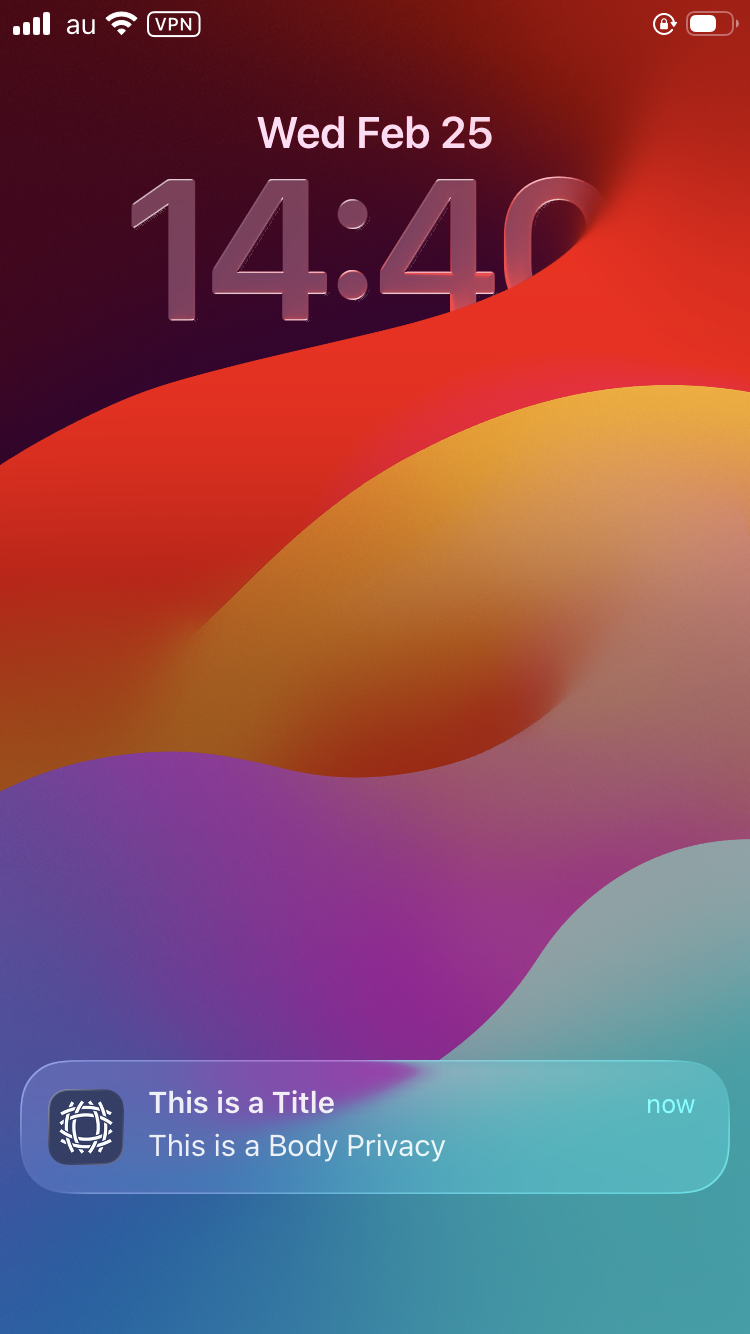
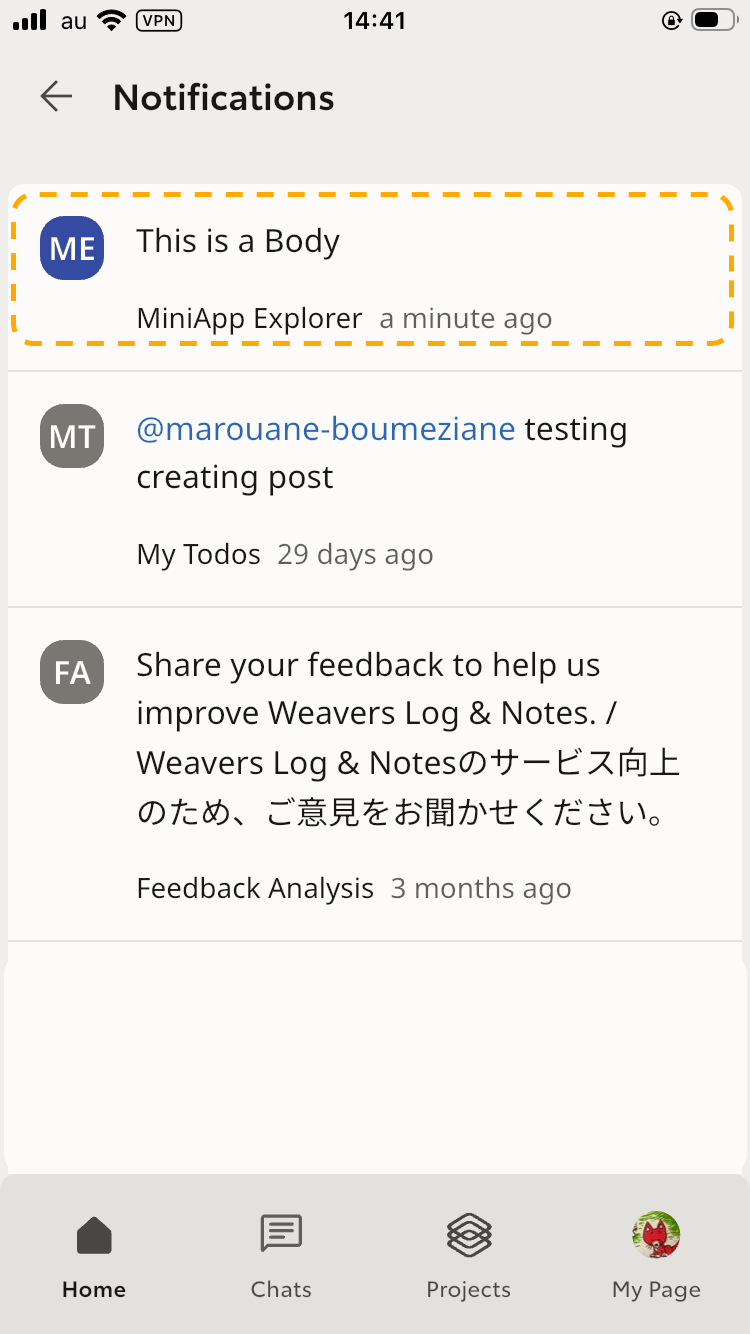
Notifications appear in the user's OS notification panel and Woven City App notification panel.
Upon clicking on the notification, users will be redirected to your MiniApp along with any payload data you included in the notification request.
Version Requirements
- MiniApp SDK Version: Not applicable (server-side HTTP API)
- MiniApp Runtime Engine Version:
>= 1.0.0
API Spec
{
  "/mini-app-runtime/v1/notification/": {
      "post": {
        "requestBody": {
          "content": {
            "application/json": {
              "schema": {
                "type": "object",
                "properties": {
                  "project_id": {
                    "type": "string",
                    "format": "uuid"
                  },
                  "payload": {
                    "type": "object",
                    "additionalProperties": {
                      "type": "string",
                      "minLength": 1
                    }
                  },
                  "title": {
                    "type": "string",
                    "maxLength": 100
                  },
                  "app_level_notification_body": {
                    "type": "string",
                    "maxLength": 255
                  },
                  "os_level_notification_body": {
                    "type": "string",
                    "maxLength": 255
                  },
                  "woven_ids": {
                    "type": "array",
                    "items": {
                      "type": "string",
                      "format": "uuid"
                    }
                  }
                },
                "required": [
                  "project_id",
                  "title",
                  "app_level_notification_body",
                  "os_level_notification_body",
                  "woven_ids"
                ],
                "additionalProperties": false
              }
            }
          },
          "required": true
        },
        "responses": {
          "200": {
            "description": "Default Response",
            "content": {
              "application/json": {
                "schema": {
                  "type": "object",
                  "properties": {
                    "success": {
                      "type": "boolean"
                    },
                    "data": {
                      "type": "object",
                      "properties": {
                        "woven_ids": {
                          "type": "array",
                          "items": {
                            "type": "string"
                          }
                        }
                      },
                      "required": [
                        "woven_ids"
                      ],
                      "additionalProperties": false
                    },
                    "info": {
                      "type": "string",
                      "minLength": 1
                    }
                  },
                  "required": [
                    "success",
                    "data",
                    "info"
                  ],
                  "additionalProperties": false
                }
              }
            }
          }
        }
      }
    }
}
Sending Notification
Prerequisites:
- You received a Server Side Client secret upon creation of your first MiniApp version.
This API must be used on the backend only; please avoid using it on the frontend to not expose your client secret.
Steps (via Curl)
- Get Access Token
curl -d 'client_id={YOUR_KEYCLOAK_CLIENT_ID}' \
     -d 'client_secret={YOUR_KEYCLOAK_CLIENT_SECRET}' \
     -d 'grant_type=client_credentials' \
    'https://id.woven-city.toyota/auth/realms/woven/protocol/openid-connect/token'
- Send Notification
Replace {ACCESS_TOKEN} with the obtained access token:
You can also customize the payload data in the request body, which will be injected into your MiniApp when the user opens the notification.
curl -X 'POST' \
  'https://mini-app-api.lab.woven-city.toyota/mini-app-runtime/v1/notification' \
  -H 'Content-Type: application/json' \
  -H 'Authorization: Bearer {ACCESS_TOKEN}' \
  -d '{
    "project_id": "REPLACE_WITH_YOUR_PROJECT_ID",
    "payload": {
      "key1": "value1",
      "foo": "bar",
      "anyKey": "anyValue"
    },
    "title": "REPLACE_WITH_YOUR_TITLE (will be displayed in the OS notification panel only)",
    "app_level_notification_body": "REPLACE_WITH_YOUR_APP_LEVEL_NOTIFICATION_BODY (will be displayed in Woven City App notification panel only)",
    "os_level_notification_body": "REPLACE_WITH_YOUR_OS_LEVEL_NOTIFICATION_BODY (will be displayed in the OS notification panel only)",
    "woven_ids": [
      "REPLACE_WITH_TARGET_WOVEN_ID_1",
      "REPLACE_WITH_TARGET_WOVEN_ID_2",

      "REPLACE_WITH_TARGET_WOVEN_ID_N"
    ]
}'
Receiving Notification with Payload
The payload sent in the notification request will be injected into your MiniApp via query parameters in your home page route.
Usage Example
Given the notification request body:
{
  ...
  "payload": {
    "key1": "value1",
    "foo": "bar"
  },
  ...
}
Access the data inside your Frontend MiniApp as shown below:
// At the entry point of your app, parse the URL to get query parameters
const urlParams = new URLSearchParams(window.location.search);

// Example accessing specific query parameters
const key1Value = urlParams.get("key1");
const fooValue = urlParams.get("foo");
console.log("Value of key1:", key1Value);
console.log("Value of foo:", fooValue);